Pre-release
One screen for everything you run.
The C4 operator runs fleets of Claude Code agents, render farms, CI and training as one system. It orders the work by when it is due, stops and resumes it at clean points on its own, and shows a person only what needs them.
The intro film: a laptop running agents, then a studio's render farm, in the same HUD.
C4 is not new. Its content IDs have been public since 2015 and are SMPTE ST 2114, the standard Joshua Kolden wrote in 2017. The operator is the third generation of the system those IDs were made for: a cloud production queue in 2011, a Kubernetes system in 2017, and now this. It is open source under Apache 2.0.
Your agents today, and the same agents on C4
You run four or five Claude Code agents, each in its own terminal. Everything below is something that happens to you now, and what changes.
- Five terminals, five transcripts. Nobody can say what all your agents are doing right now, what each will do next, or when any of it lands.
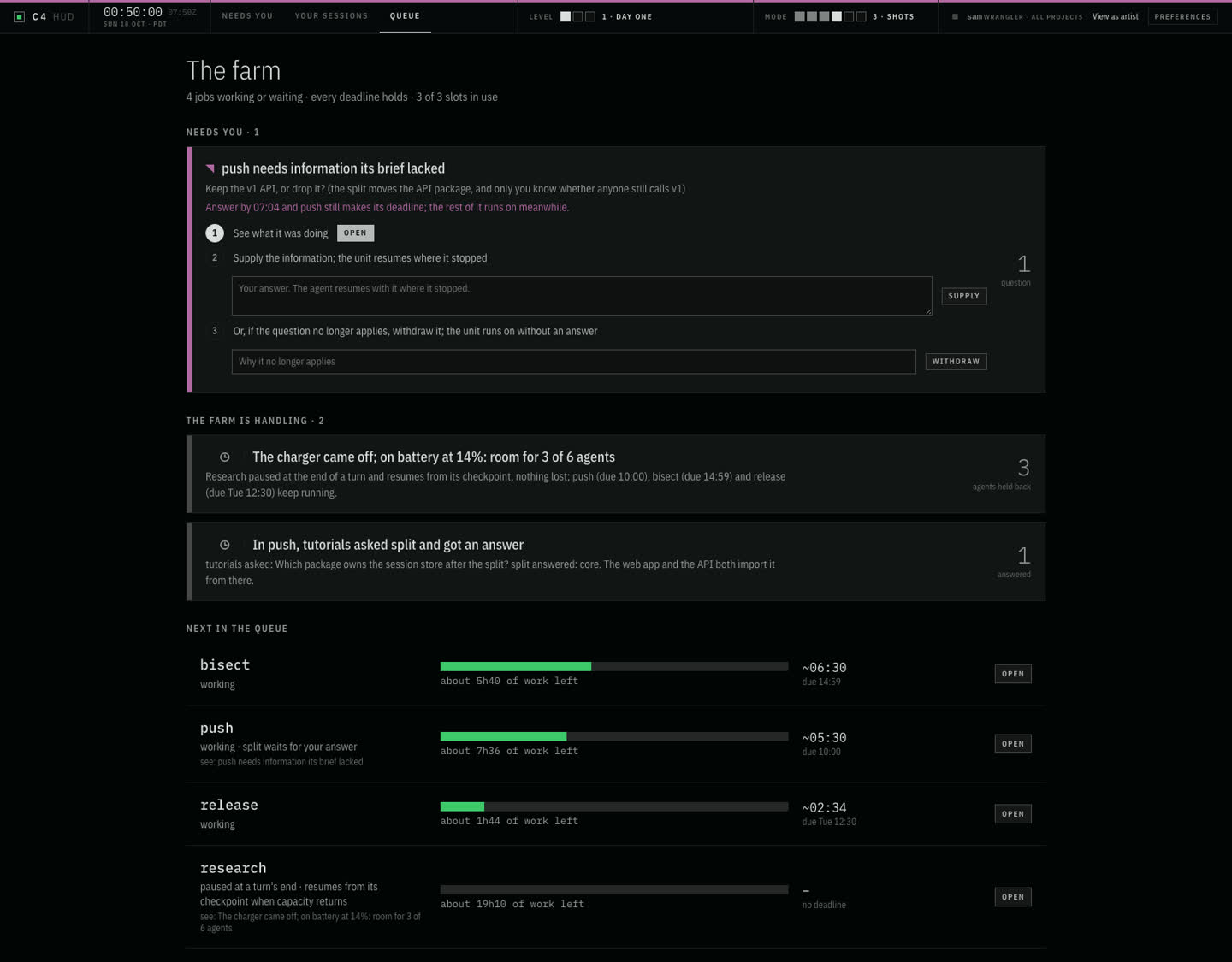
- The whole fleet on one screen, the way a wrangler sees a render farm: every job, the work it has left, what it waits on, what runs next, and when each lands. The farm keeps a plan of the work ahead, like a render queue’s graph of dependencies, and shows you where it is on it.
- One agent stops at 2 a.m. to ask whether to keep the old API, and waits in a terminal nobody is watching.
- A question only you can answer is one item under Needs you, with the time to answer by. A question another agent can answer goes to that agent, and the answer comes back on the record.
- The laptop restarts. You find each session and resume it by hand.
- Every turn is checkpointed. A session stops at the end of a turn and resumes from it, with its whole context.
- On battery, two agents want the machine at once, and the one with the morning deadline loses to whichever started first.
- Deadlines decide who runs, not priority numbers and not start order. When there is less room than agents, the work with the most slack pauses at the end of a turn, and the work due in the morning keeps running.
- To know what any of them did, you read their transcripts, and it all ran under your login.
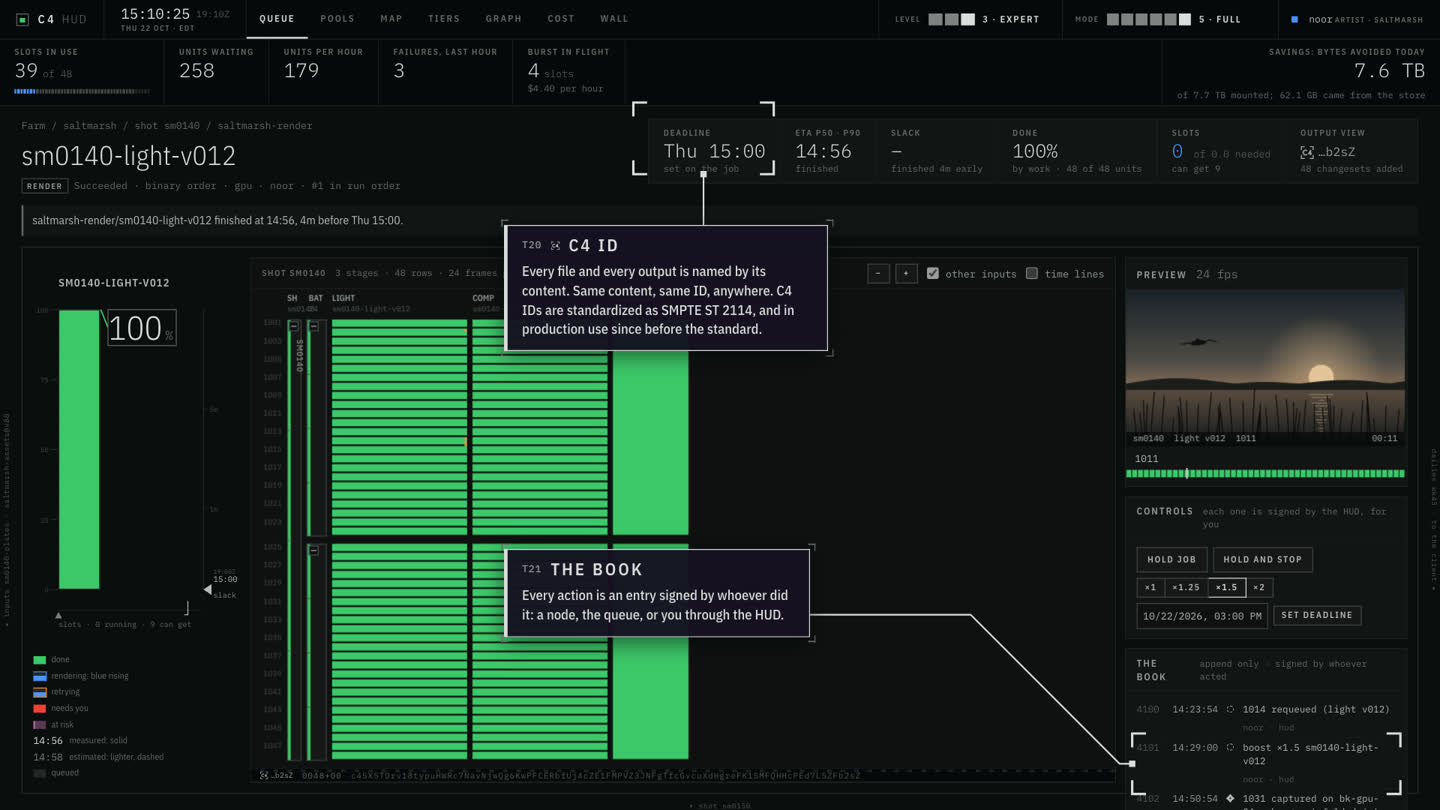
- Every action is recorded as the agent acting for you, and the farm signs the record. What is at risk, what the farm handled on its own, and the one thing that needs you sit on top of the same screen.
It grows with you
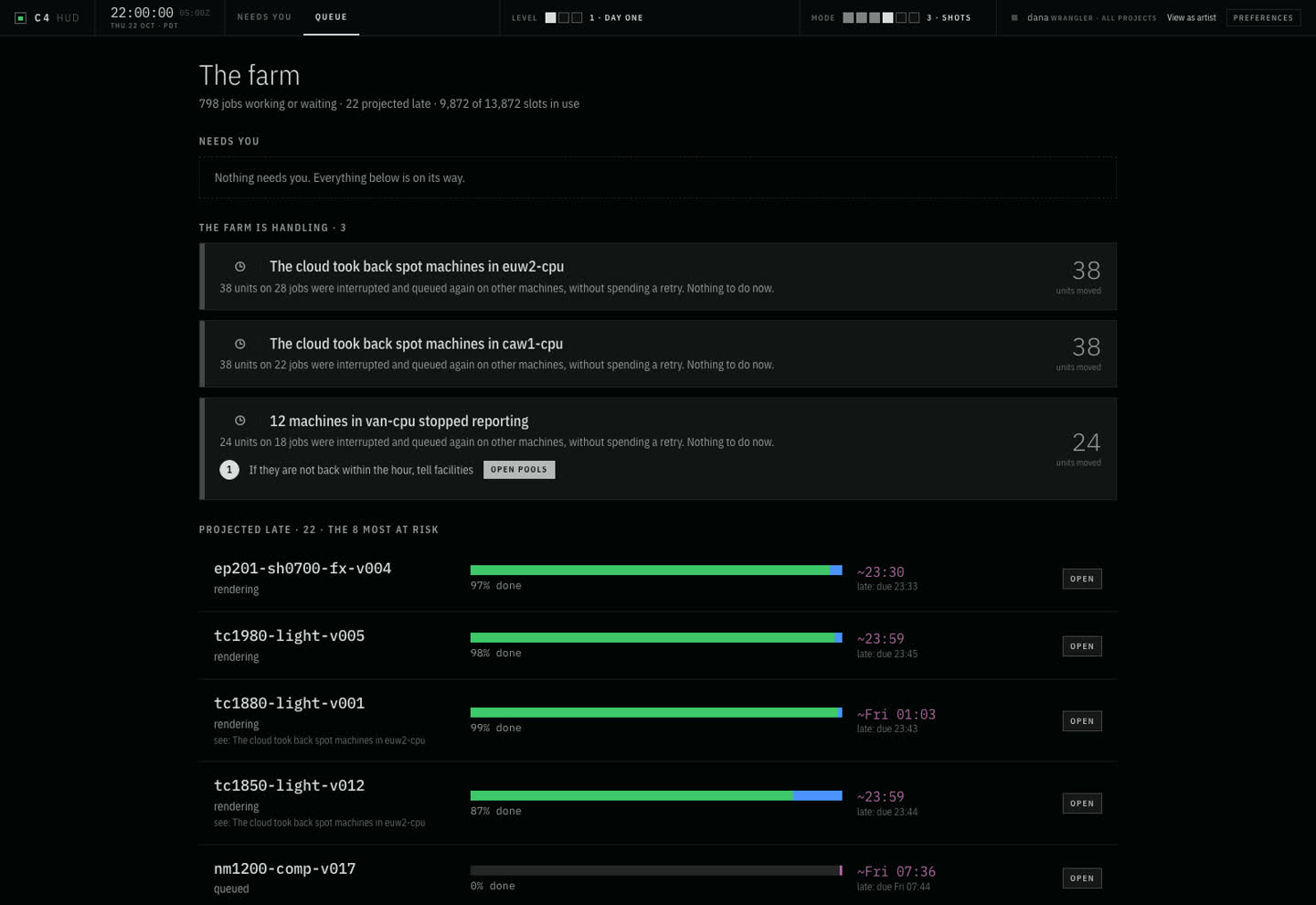
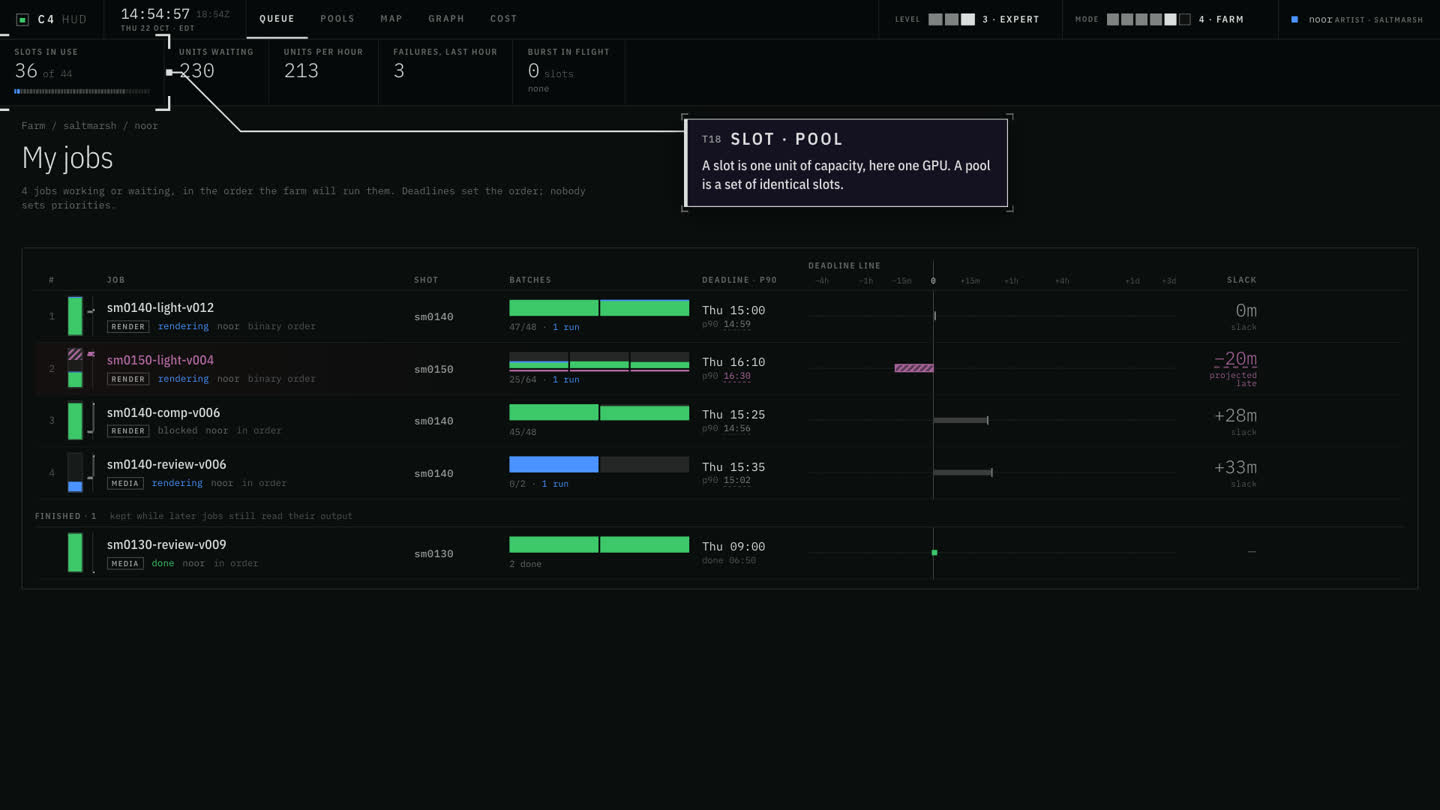
The same queue and the same HUD run a studio's render farm of thousands of machines, because it is the same problem: work that should run on its own, and people who should hear only about what needs them.
- A farm monitor lists every failed task. A rack loses power and every frame on it becomes its own red row; the cloud takes back spot machines and it happens again. Someone reads that wall at night.
- One item per cause, with the count. Work the farm recovered is reported as handled, under The farm is handling, not under Needs you. What does need a person comes with its cause and its steps, not a log to read.
- Work runs by priority numbers. When tonight's delivery falls behind, a wrangler raises its priority at midnight, which pushes another show back, until someone notices and raises that one too.
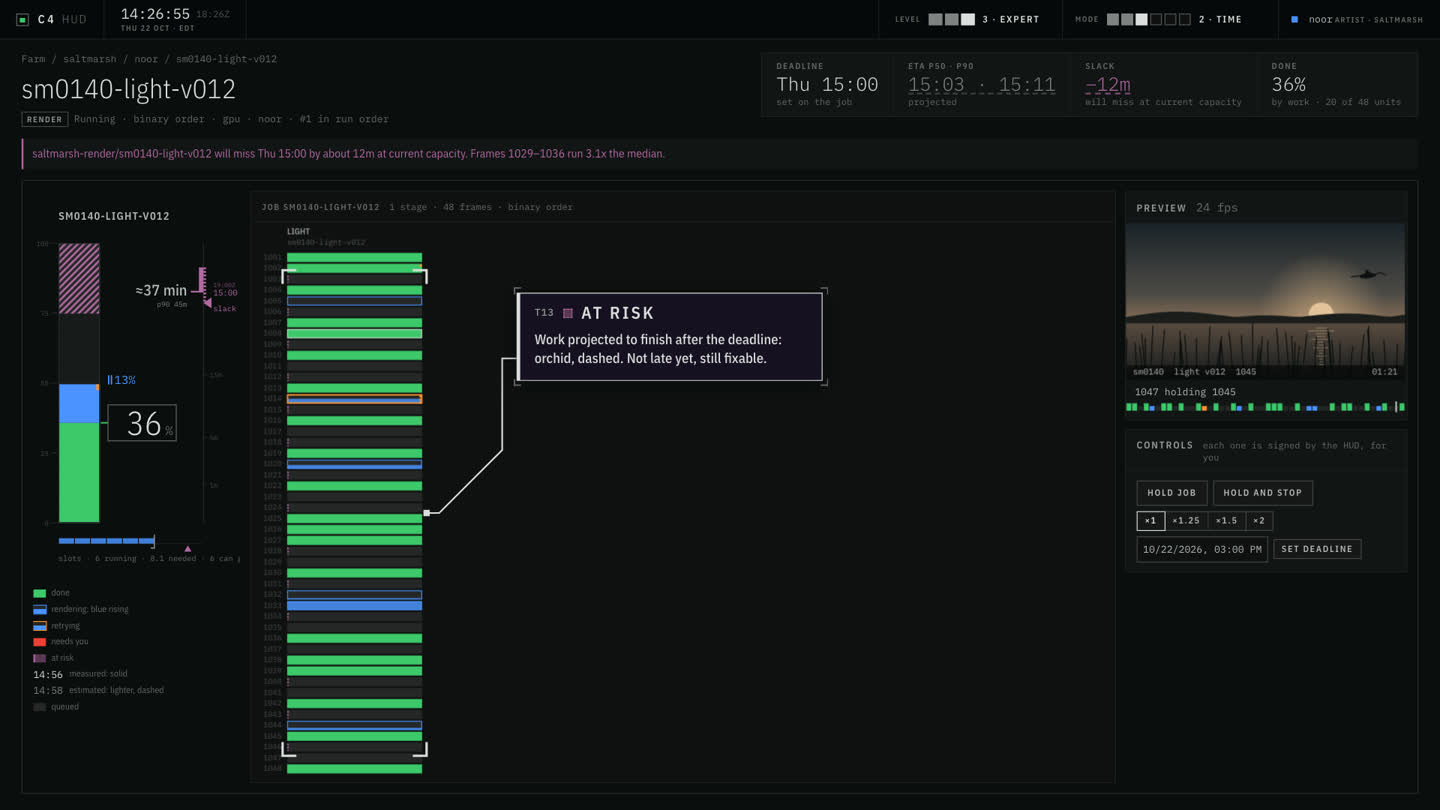
- Scheduled by deadline, not priority. Each job carries when it is due and what it has left, and the farm orders everything from that. Jobs that will be late are flagged while there is still time, with what would save them: a boost, a later deadline, or rented capacity at a price stated before it is spent.
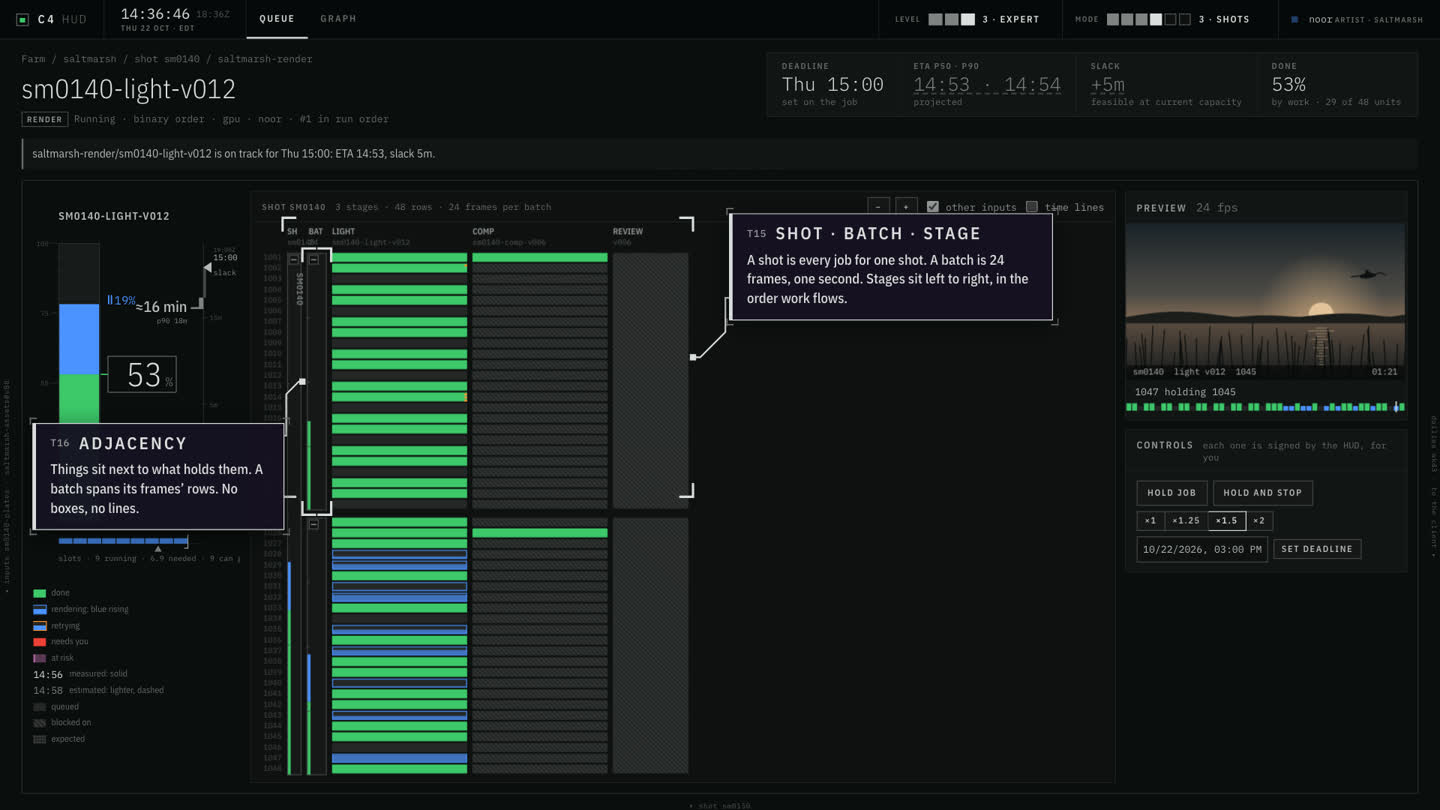
Six questions, six screens
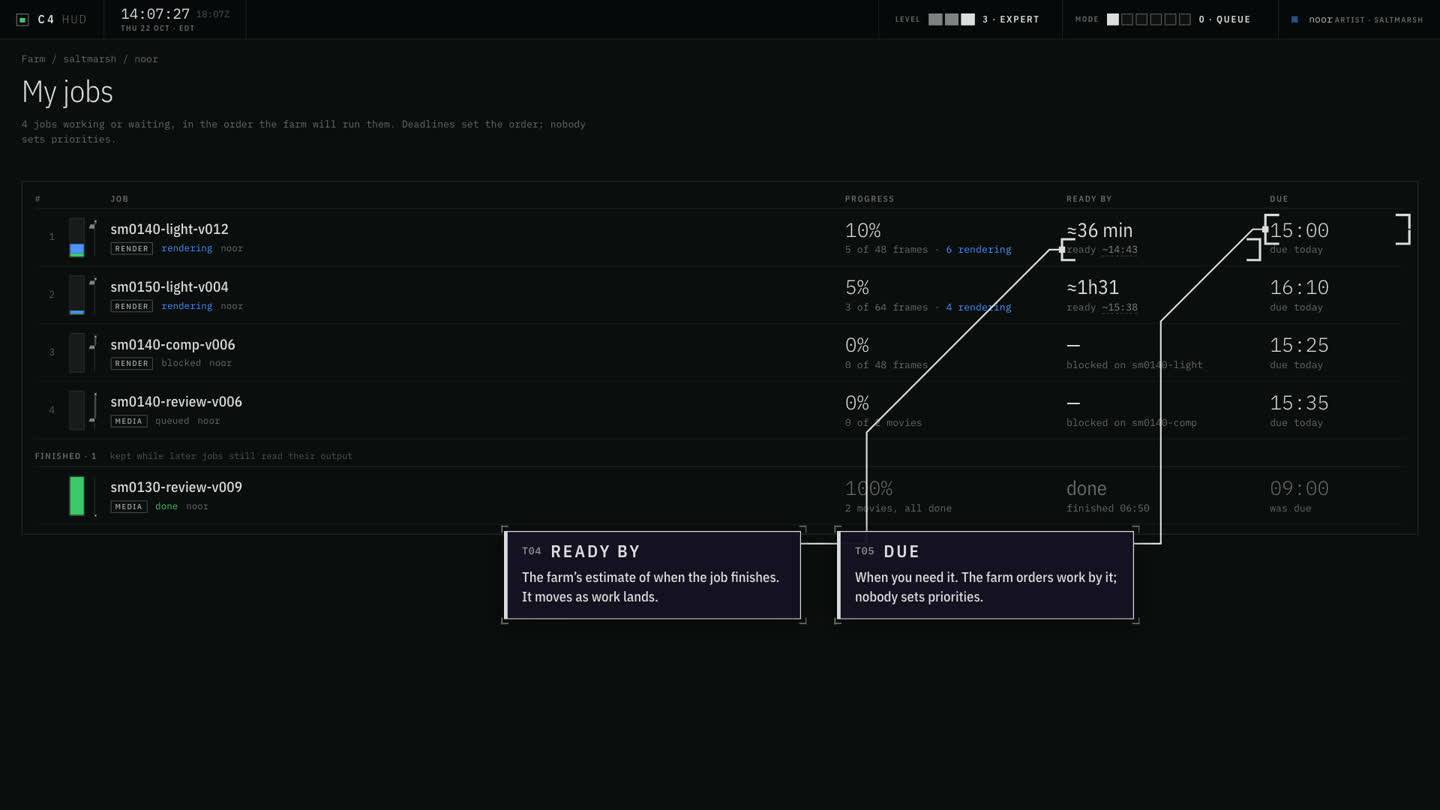
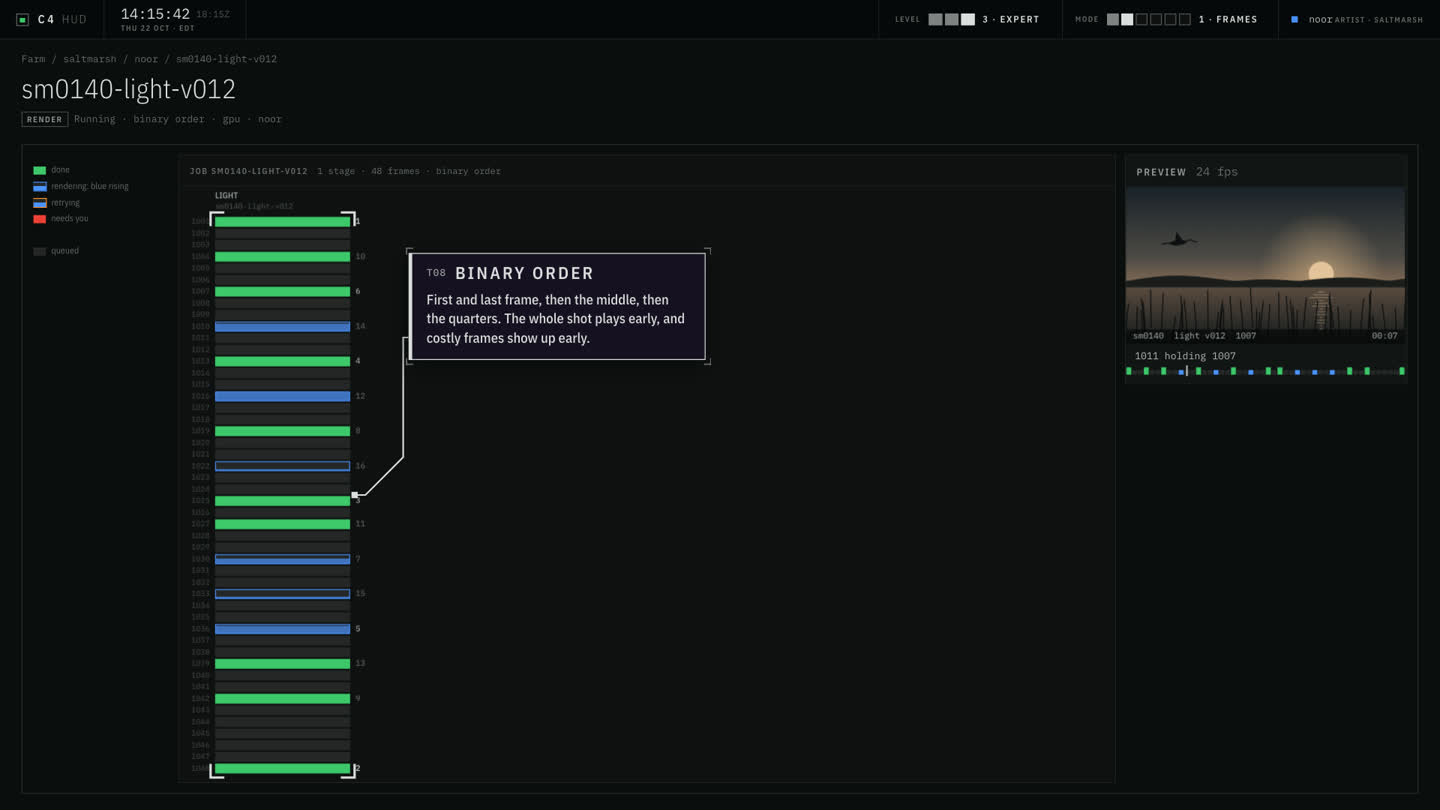
The HUD answers one question at a time, from a single line to the whole facility. Each person starts at their own; nothing is locked.
The beta
The beta is the fully integrated experience: the operator, the HUD and the farm tools together, ahead of the open-source repository, with guided onboarding and a direct line to the team. It may include services that will be commercial. It is invite-only.
Coming with the release a one-line install that puts your running sessions on the HUD, read-only, before you give any of them a deadline; the sample set; the public HUD repository and the full documentation. No date yet.